How To Optimize Snowflake Costs Caused By Heavy Power BI Footprint Assets
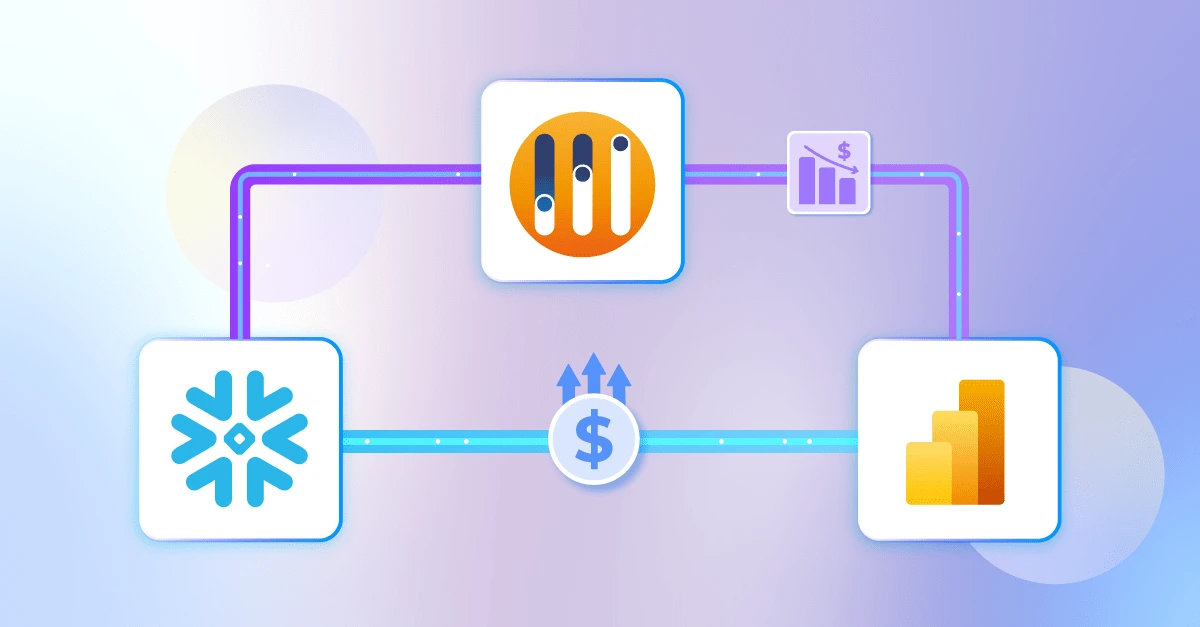
Why are my Snowflake costs increasing?
As organizations accelerate their journey to the cloud, the adoption of modern BI platforms like Power BI has become a strategic imperative. Usually, this is part of a wider IT modernization project of embracing cloud computing, and so, very often, those organizations plan to use Power BI to consume data stored in cloud databases such as Snowflake, BigQuery, or Databricks. Around 72% of enterprises have adopted cloud-based data warehousing to enhance scalability, analytics efficiency, and cost optimisation, highlighting the scale of this transformation.
However, organizations are now discovering that their Snowflake costs are rising faster than anticipated, often driven by the hidden impact of “heavy footprint” Power BI assets. According to the FinOps Foundation 2025 report, organizations waste an estimated 30-40% of cloud spend on unused or oversized resources. At Wiiisdom, we believe that true data analytics value comes from proactive Analytics Governance. This article explores the root causes of rising Snowflake costs in the context of Power BI and outlines actionable strategies to help your organization proactively manage and reduce Snowflake costs.
How Do Power BI Assets Drain Snowflake Costs
Leveraging Power BI alongside cloud data warehouses like Snowflake can have a profound impact on operational costs. The reality is that certain Power BI assets can inadvertently drive up Snowflake bills:
- Semantic Models: These form the backbone of Power BI reporting, translating raw data into business-friendly structures. However, complex or inefficient models can trigger excessive queries to Snowflake, especially when relationships are poorly defined or calculations are unnecessarily intricate.
- Example: A snowflake schema with calculated columns forces Snowflake to scan millions of rows for every dashboard load.
- Reports: Highly interactive reports, packed with visuals and slicers, are popular with users but can place unpredictable loads on Snowflake, such as a report with unconstrained filters or duplicated rows resulting in repeated, resource-intensive queries.
- Example: Selecting “All Regions” on a 20-visual page can spike warehouse size and double compute costs.
- Refresh Schedules: Frequent or poorly timed refreshes can cause capacity spikes, particularly when multiple reports are scheduled to update simultaneously. This not only strains Snowflake but can also lead to performance bottlenecks for end users.
- Example: 10 large datasets refreshing at 8 AM use multiple warehouses, burning credits even when idle.
The challenge for Power BI teams is how they identify risks and plan for costs. Capacity spikes are typically triggered when multiple users simultaneously access poorly designed BI assets, as these inefficient reports or dashboards can generate a surge of repeated queries against Snowflake, rapidly increasing compute demand. Without proactive measures, these incidents can lead to performance issues and urgent, costly capacity increases. When governance is lacking, these problems persist, driving unpredictable costs and undermining ROI. To stay ahead, organizations need smarter, preventative strategies that address these risks before they impact end users or budgets.
Why Governance Is the Missing Link
Relying on traditional monitoring tools to track usage and performance provides visibility, but they are inherently reactive; they alert teams only after the problem has occurred. By the time a spike in Snowflake compute costs is detected, the damage is done: budgets are strained, performance may have degraded, and urgent remediation becomes the only option.
Wiiisdom changes this dynamic by enabling organizations to act before issues arise, through not just monitoring but anticipating them too. Wiiisdom’s solutions go beyond simple alerts by proactively identifying high-footprint Power BI assets before they impact Snowflake costs. Through intelligent analysis of usage patterns, refresh schedules, and design complexity, Wiiisdom predicts which reports are likely to trigger costly compute spikes and flags them for optimization.
How Wiiisdom Delivers Analytics Governance
There are 2 approaches to delivering Analytics Governance with Wiiisdom for assets in production: platform monitoring and newly designed assets.
1. Platform monitoring
Firstly, Wiiisdom’s Predictive Monitoring capabilities identify which Power BI reports and assets are driving up Snowflake costs. By proactively flagging high-impact assets, teams can optimize them before they escalate into budget-draining issues. This capability also alerts users to probable high-demand periods, such as anticipated spikes on specific days or times, and highlights the content most likely to cause them. This foresight enables organizations to plan capacity adjustments and optimizations, rather than scrambling after problems occur.
2. Newly designed assets
It’s not only about monitoring either. Wiiisdom also helps organizations prevent the platform from being flooded with badly designed assets that continue to consume resources unnecessarily. By managing the full lifecycle of BI content, teams can keep their analytics environment lean, efficient, and cost-effective. This is why putting in place a path to production framework is critical to prevent poorly designed reports that could cause capacity or performance issues from being published in the first place:
- Implement smart promotion workflows to validate assets, and orchestrate these workflows by integrating with ticketing systems such as ServiceNow. This allows for automated approval, tracking, and escalation, ensuring that asset validation is both rigorous and seamless.
- Set design standards such as performance and usability parameters to prevent poorly designed assets from entering production, helping maintain asset efficiency as high as possible, with best practices enabled.
Maximize efficiency, minimize costs
Inefficiently managed capacity costs in Power BI have a direct and significant impact on cloud data warehouse expenses, whether that’s Snowflake, Databricks, or BigQuery… When Power BI assets such as semantic models or reports are not optimized, the inefficiency doesn’t just inflate Power BI’s own costs. These heavy-footprint assets trigger more frequent and resource-intensive queries against the underlying cloud database, driving up compute and storage bills in Snowflake and similar platforms.
By focusing on making Power BI more efficient, through lifecycle management, predictive monitoring, automated validation, and robust reporting, organizations achieve a double benefit: they reduce Power BI costs and simultaneously curb unnecessary expenditure on the underlying cloud data warehouse. This holistic approach ensures that optimizations in Power BI have a cascading positive effect, maximizing value and minimizing waste across the entire analytics stack.
If you want to discover more about how Wiiisdom can help you reduce Snowflake costs, get in touch with us.